Your desk is the command center of your workday. When it's buried under papers, dust, and old coffee cups, your brain has to work harder to focus. A clean desk isn't just about looks—it directly impacts your productivity and mental clarity.
You don't need to spend hours scrubbing or buy fancy organizers. Small, consistent habits make the biggest difference. These 20 tips are designed to be quick, practical, and easy to weave into your routine.
Whether you work from home full-time or just need a better study space, these ideas will help you transform your desk from chaotic to calm. Let's get started.
1. Clear Everything Off First
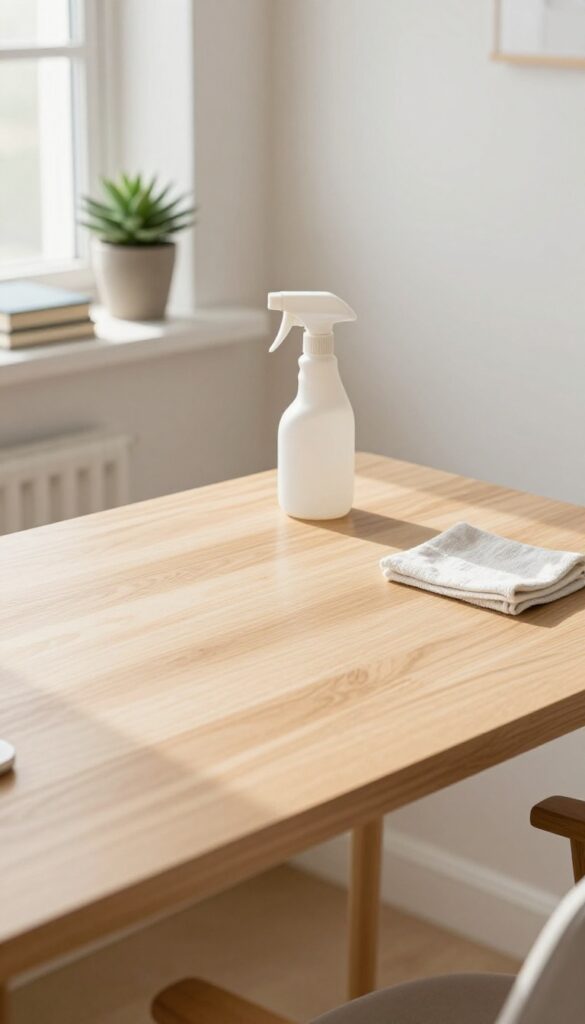
Before you can organize, you need a blank canvas. Taking everything off your desk—every pen, paper clip, and sticky note—gives you a fresh start. It also forces you to look at each item and decide if it really needs to be there.
You might be surprised by what you find. Old receipts, pens that don't work, and gadgets you never use tend to accumulate. Once the surface is empty, you can wipe it down thoroughly and then only put back what you actually need.
Sort As You Go
As you remove items, sort them into piles: keep, relocate, trash, or donate. This prevents you from just moving clutter to a drawer. Be honest about what you've used in the last month—if you haven't touched it, it probably doesn't belong on your desk.
Deep Clean The Surface
With nothing in the way, this is the perfect time to clean. Use a microfiber cloth and a gentle cleaner to wipe down the entire surface. Don't forget corners and edges where dust builds up.
A truly clean desk feels different—it's like a reset button for your workspace.
Reset Your Perspective
Once the desk is empty and clean, take a moment before putting things back. Think about your workflow. What do you reach for most often?
Where does your coffee cup go? Use this fresh start to arrange your space in a way that actually supports how you work.
2. Wipe Down All Surfaces
Dust and grime accumulate fast on your desk, monitor, and keyboard. A quick wipe-down each day keeps things fresh and reduces allergens. You don't need harsh chemicals—just a microfiber cloth and a gentle cleaner do the trick.
Start by clearing your desk of loose items. Then spray a small amount of cleaner onto your cloth—never directly onto electronics—and wipe the desk surface in long, even strokes. For your monitor, use a dry microfiber cloth or a screen-safe wipe to avoid streaks.
Keyboards trap crumbs and oils, so turn it upside down and tap out debris before wiping keys with a lightly dampened cloth. Let everything air dry for a minute before returning items to your desk.
Choose The Right Cloth
Microfiber is ideal because it traps dust without scratching surfaces. Avoid paper towels or rough sponges—they can leave lint or damage screens. Keep a dedicated cloth for electronics and another for the desk surface.
Safe Cleaning Solutions
Water mixed with a drop of dish soap works for most desks. For wood, use a mild wood cleaner. For electronics, isopropyl alcohol (70% or less) diluted with water is safe and evaporates quickly.
Never use bleach, ammonia, or abrasive sprays.
Daily Vs. Weekly Routine
A daily 30-second wipe of the desk and mouse pad prevents buildup. Once a week, do a deeper clean: unplug peripherals, wipe cables, and clean your monitor with a proper screen cleaner. Consistency keeps the task quick and easy.
3. Sort Items Into Three Piles
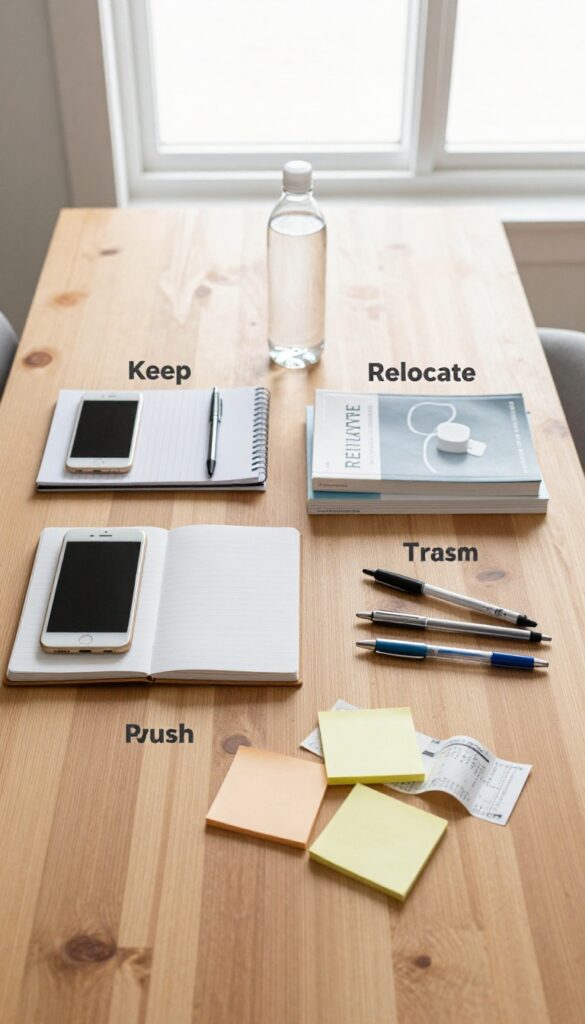
It's easy to let your desk become a dumping ground for everything that passes through your hands. But the first step to a clean workspace is making decisions about what actually belongs there. The three-pile method forces you to be honest with yourself.
The Keep Pile: Only What You Touch Daily
This pile should be small. Think your phone, a pen you actually use, your notebook, and maybe a water bottle. If you haven't used something in the past week, it doesn't belong here.
Be ruthless—your desk is for active tools, not storage.
The Relocate Pile: Give Everything A Home
Items you use occasionally but not daily go here. That includes chargers, reference books, or a second mouse. Find a drawer, a shelf, or a nearby cabinet for these.
The goal is to keep your surface clear while still having access when needed.
The Trash Pile: Let It Go
Old sticky notes, broken pens, expired coupons, and random receipts—if it's not useful, toss it. You'll be surprised how much clutter you've been tolerating. If you're unsure, ask yourself: would I buy this again tomorrow?
If no, it's trash.
4. Tame Cable Chaos
Cables are the silent clutter culprits on any desk. They snake around, tangle together, and make your workspace look messier than it actually is. The good news?
You don't need to go wireless to fix this. A few simple tools and a little labeling can turn that spaghetti mess into a clean, organized system.
Bundle With Purpose
Start by grouping cords that go to the same area or device. Use velcro cable ties, spiral wrap, or simple zip ties to bundle them together. Keep each bundle separate so you can easily trace a cable when needed.
Avoid over-tightening—leave a little slack for flexibility.
Label Everything
Nothing is more frustrating than unplugging the wrong cord. Use small adhesive labels or colored tape to mark each cable near the plug end. Write what device it belongs to—monitor, laptop, phone charger—so you can identify it at a glance.
This simple step saves time and prevents accidental disconnects.
Route Them Out Of Sight
Use cable clips or adhesive hooks to run cords along the edge of your desk or underneath it. This keeps them off your work surface and out of your line of sight. For a cleaner look, invest in a cable management tray that mounts under the desk to hold power strips and excess length.
5. Create a Daily Wipe-Down Habit
The last sixty seconds of your workday can set you up for a fresh start tomorrow. A quick wipe-down and tidy-up clears dust, crumbs, and mental residue. It's a simple ritual that signals your brain that work is done for the day.
Why 60 Seconds Works
It's short enough to stick. You don't need motivation—just a microfiber cloth and a small tray for loose items. Consistency beats intensity here.
What To Wipe
Focus on the desk surface, keyboard, mouse, and phone. A quick pass with a damp cloth removes oils and dust. For screens, use a dry microfiber cloth.
Putting Things Away
Grab any stray pens, notepads, or coffee mugs and return them to their homes. If something doesn't have a home, decide now. A clear surface tomorrow starts tonight.
6. Designate a Single Tray for Papers
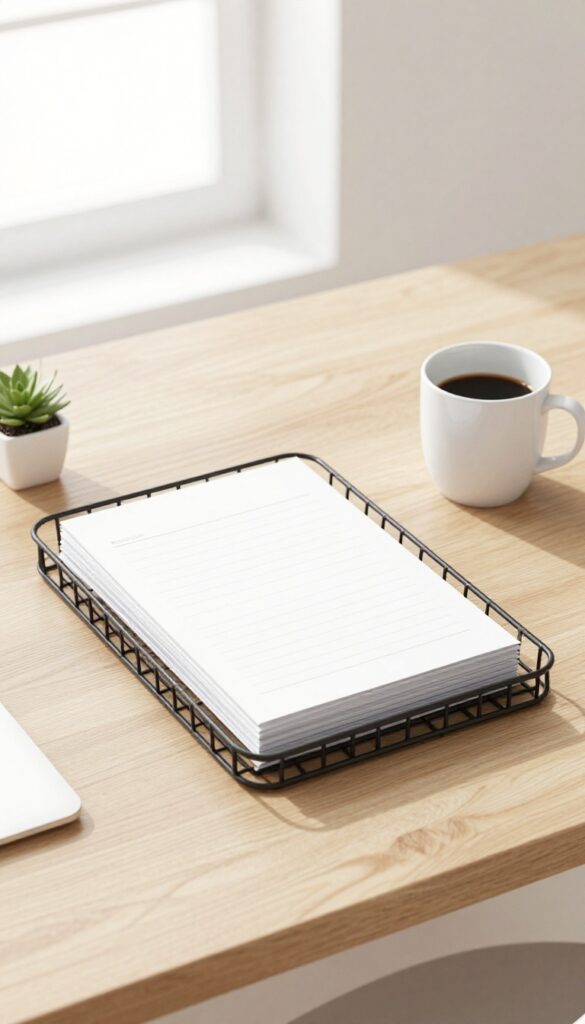
Paper clutter is one of the fastest ways to lose control of your desk. It sneaks in as mail, notes, printouts, and receipts, and before you know it, you're drowning in piles. The fix is simple: give every piece of paper one designated spot.
A single tray or folder acts as a holding zone for all incoming papers. The rule is that nothing else on your desk should accumulate loose paper. This one habit stops the spread and makes processing easy.
Pick One Tray, Not Three
Resist the urge to create multiple trays for different paper types. That just creates more sorting decisions. One tray forces you to deal with papers regularly instead of letting them multiply.
Set A Weekly Processing Date
Choose a consistent time each week to go through the tray. Sort items into action, file, or recycle. If you skip a week, the tray might overflow, but it's still contained and easy to catch up.
Go Digital When Possible
Scan important documents and store them in a cloud folder. For papers that need a physical copy, file them immediately after processing. The tray should never become a permanent storage spot.
7. Limit Desk Decor to Three Items
Decor can make a desk feel personal and inspiring, but too many knick-knacks turn into visual noise. When every surface is covered with figurines, photos, and trinkets, your brain has to process each one, stealing focus from your work. The fix is simple: choose no more than three decorative pieces that serve a purpose or bring you joy, and store the rest away.
Limiting decor to three items forces you to be intentional. A small plant, a framed photo, and a stylish pen holder might be all you need. Rotate items seasonally if you miss variety, but keep the daily count low.
Your desk will feel calmer, and you'll actually notice and appreciate the pieces you keep.
Why Three Works
Three is a manageable number that prevents clutter while still allowing personality. It's enough to avoid a sterile look but few enough to keep your workspace clean. Studies show that visual clutter reduces focus and increases stress, so fewer items mean fewer distractions.
Choosing Your Three
Pick items that serve a function or spark inspiration. A succulent adds life without maintenance. A photo of a loved one can lift your mood.
A unique desk lamp or a quality pen stand combines utility with style. Avoid anything that collects dust or has no real value to you.
What To Do With The Rest
Box up extra decor and store it out of sight. You can rotate pieces every few months to keep things fresh. This way you still enjoy variety without the daily clutter.
A clear desk also makes cleaning faster—just wipe down the surface without moving a dozen objects.
8. Use Drawer Dividers
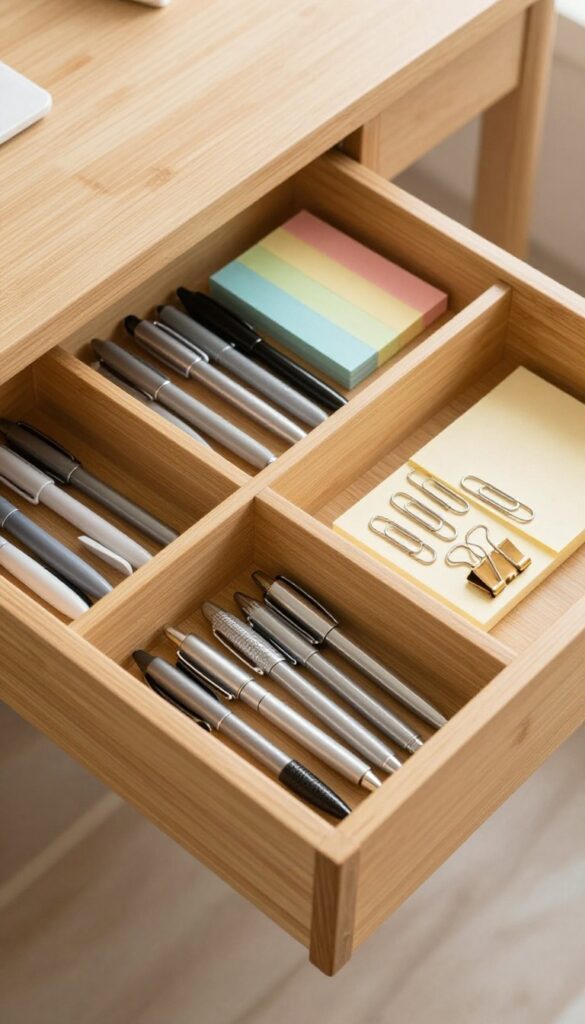
Drawers can quickly become black holes of clutter if everything is tossed in randomly. You might think you'll remember where that spare pen or sticky note is, but a messy drawer slows you down every single time you open it. Drawer dividers are a simple fix that turns chaos into order without any complicated systems.
Dividers create dedicated spots for each type of item, so you can grab what you need without rummaging. They also make it easy to see when something is running low, helping you restock before you run out. Best of all, dividers are inexpensive and come in adjustable sizes to fit any drawer.
Choose The Right Dividers
Not all dividers are created equal. For deep drawers, look for expandable bamboo or plastic dividers that can be cut to size. For shallow drawers, small trays or compartment boxes work well.
You can even repurpose cardboard boxes or use adhesive strips to create custom compartments. The key is to measure your drawer first and pick dividers that fit snugly.
Group Similar Items Together
Once you have dividers in place, group items by category. Pens and pencils in one section, sticky notes in another, paper clips and binder clips in a small compartment. This logic makes it effortless to find things and just as easy to put them back.
Label the sections if you share the desk or if you want to keep everyone honest.
Maintain The System
Dividers only work if you stick to the system. When you finish using a pen, return it to its designated spot. If you notice a section getting messy, take two minutes to reorganize.
A quick weekly check keeps the drawer from sliding back into chaos. Remember, the goal is to make your workspace more efficient, not to create another chore.
9. Clean Your Keyboard Weekly
Your keyboard is a crumb magnet. Over time, dust, dead skin, and snack debris build up between the keys, making it unhygienic and less responsive. A weekly quick clean keeps it fresh and functional.
The Upside-down Tap
Start by unplugging or turning off your keyboard. Hold it upside down and gently tap the back to dislodge loose crumbs and dust. You'll be surprised what falls out.
Do this over a trash bin or sink.
Compressed Air Or Soft Brush
For deeper cleaning, use a can of compressed air to blow out debris from between the keys. Alternatively, a soft, clean paintbrush or a dedicated keyboard brush works well. Angle the brush to sweep crumbs out rather than push them further in.
Wipe Down The Surface
After removing loose debris, lightly dampen a microfiber cloth with isopropyl alcohol (70%) and wipe the keycaps and the surrounding frame. Avoid soaking the cloth—you don't want liquid dripping into the switches. This sanitizes and removes sticky residue.
10. Sanitize Your Mouse and Phone
Your mouse and phone are two of the most touched items on your desk, yet they rarely get cleaned. Over time, they become breeding grounds for bacteria, which can affect your health and focus. A quick sanitizing routine keeps them hygienic and pleasant to use.
Why High-touch Items Matter
Think about how often you grab your mouse or pick up your phone. Each touch transfers oils, dirt, and germs. A study found that the average phone carries more bacteria than a toilet seat.
Cleaning these items regularly reduces the risk of getting sick and keeps your workspace feeling fresh.
The Right Way To Clean
Use a 70% isopropyl alcohol wipe or a microfiber cloth lightly dampened with alcohol. For your mouse, wipe the entire surface, including the sides and scroll wheel. For your phone, avoid getting moisture into ports—wipe the screen and back gently.
Let them air dry for a minute before use.
How Often To Do This
Aim to sanitize your mouse and phone at least once a week. If you share your desk or eat at your workspace, increase it to every few days. Make it part of your weekly desk reset, and you'll notice fewer smudges and less grime.
11. Adopt a One-Minute Rule
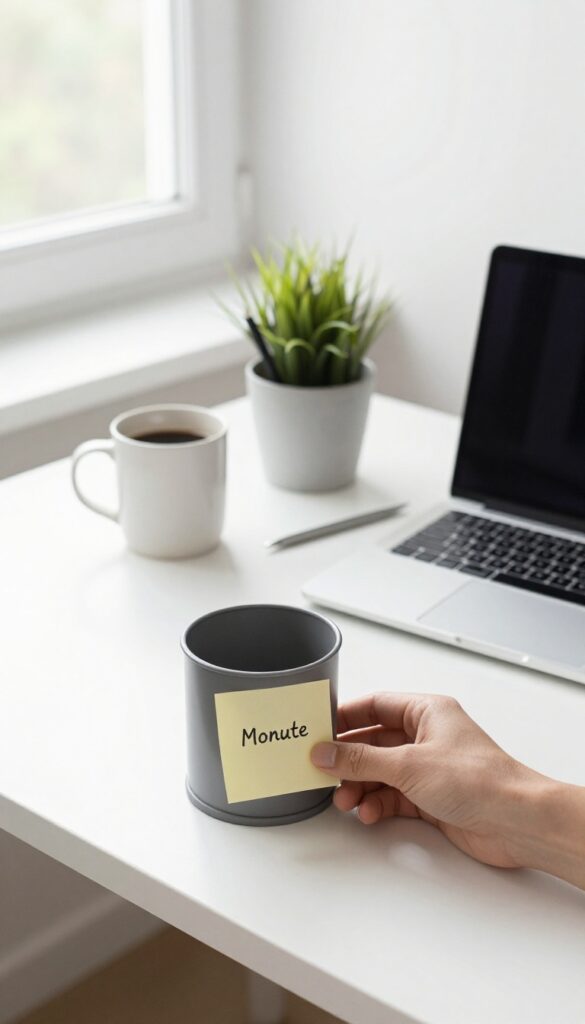
Procrastination often hides in tiny tasks that feel too small to matter. A single paper left on the edge of the desk, a pen that rolled off, a wrapper from lunch—these micro-messes multiply fast. The one-minute rule stops them before they pile up.
The concept is simple: if a task takes less than sixty seconds, do it right now. No thinking, no debating, no adding it to a to-do list. Just action.
This habit keeps your desk from ever reaching a state that feels overwhelming.
The one-minute rule is a productivity hack borrowed from habit experts, and it works wonders for desk cleanliness. By immediately handling quick tasks, you prevent small messes from becoming big ones. It also builds momentum—once you start moving, you're more likely to tackle the next small thing.
Over a day, those minutes add up to a consistently tidy workspace without any scheduled cleaning sessions.
Where To Start
Identify the most common one-minute tasks at your desk: tossing a used sticky note, putting a pen back in its holder, closing a drawer, wiping a coffee ring, or filing a single document. Make a mental list of these micro-actions. When you spot one, do it immediately.
No hesitation.
Build The Reflex
The hardest part is remembering to apply the rule. Set a phone reminder for the first few days, or place a sticky note on your monitor that says "One minute? Do it now.
" After a week, it becomes automatic. You'll notice a stray paper and your hand will reach for it before your brain can argue.
Pair It With A Routine
The one-minute rule works even better when paired with a daily habit. For example, every time you stand up to refill your water, scan your desk for any one-minute tasks. Or do a quick sweep whenever you finish a focused work session.
These natural triggers make the rule stick without extra effort.
12. Keep Only Daily Essentials on the Surface
It's tempting to treat your desk like a storage unit, but every extra item creates visual clutter that pulls your attention away. The golden rule is simple: if you don't touch it every hour, it doesn't belong on the surface. By limiting what's out in the open, you create a workspace that feels calm and intentional.
Your desk surface should be a curated workspace, not a dumping ground. Start by identifying the items you genuinely use multiple times a day: your computer, mouse, phone, notepad, and pen. Everything else—staplers, paper clips, books, decorations—belongs in drawers or on shelves.
This doesn't mean you can't have personality; just keep decor to one or two small pieces that don't compete for attention.
The Hour Rule
Walk through your desk and pick up every item. Ask yourself: 'Do I use this at least once every hour? ' If the answer is no, it goes into a drawer or shelf. This includes that stack of old receipts, the extra coffee mug, and the sticky note collection.
You'll be surprised how much you can relocate without missing it.
Designate A Landing Zone
Create a small tray or dish for items that come and go during the day, like your phone, keys, or a water bottle. This gives them a specific home and prevents them from spreading across the entire surface. Keep the landing zone small so it doesn't become a clutter magnet itself.
Weekly Surface Reset
At the end of each week, clear your desk completely. Wipe it down, then put back only the daily essentials. This habit catches items that slowly creep back onto the surface.
After a few weeks, you'll naturally reach for the drawer instead of leaving things out.
13. Use a Monitor Stand for Hidden Storage
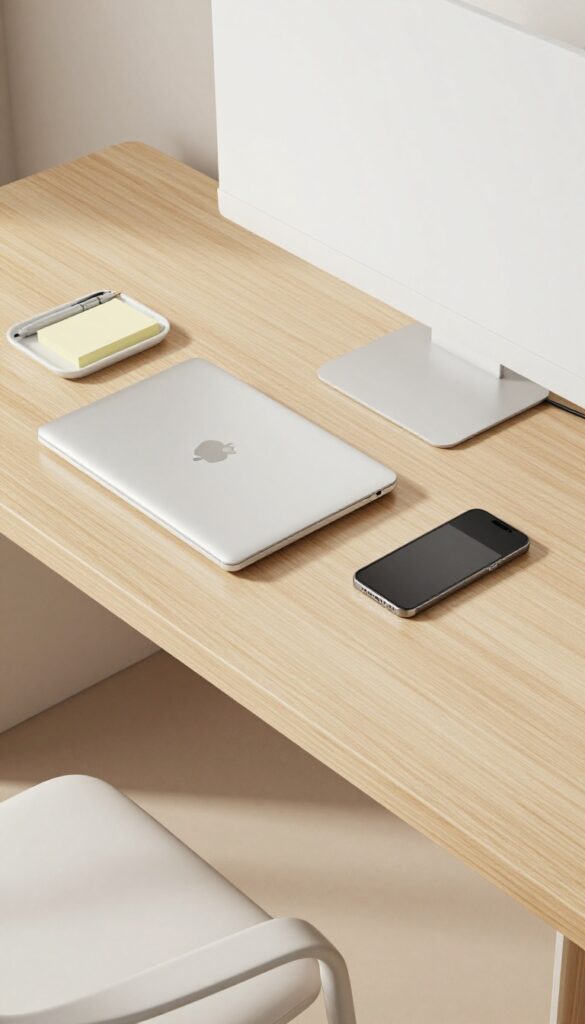
A monitor riser does more than just improve your posture—it creates a whole new layer of usable space. That empty area underneath is perfect for stashing items you need close at hand but don't want cluttering your main work surface. Think of it as a secret compartment that keeps your desk looking clean while everything stays accessible.
Monitor stands come in various styles, from simple risers to shelves with built-in drawers. Choose one that fits your monitor size and weight, and matches your desk decor. The key is to use the space intentionally, not just as a dumping ground.
What To Store Underneath
Slide your keyboard and mouse underneath when not in use to free up surface area. A slim notebook or sketchpad fits perfectly. You can also place a small tray or organizer for pens, sticky notes, or your phone.
Avoid stacking items too high so you can still slide things in and out easily.
Cable Management Bonus
The riser also helps hide cables. Route monitor and keyboard cables along the underside of the stand using adhesive clips. This keeps them out of sight and reduces visual clutter.
Some stands even have built-in cable channels for a cleaner look.
Choosing The Right Height
Make sure the riser positions your monitor at eye level to prevent neck strain. Measure the height you need before buying. Adjustable stands are great if you share your desk or switch between sitting and standing.
A good riser improves both ergonomics and organization.
14. Schedule a Weekly 10-Minute Reset
Friday afternoons have a special energy—you're wrapping up the week, and the weekend is almost here. Use that momentum to give your desk a quick refresh. A 10-minute reset every Friday prevents clutter from piling up and keeps your workspace consistently clean.
A weekly reset is the secret weapon against the slow creep of clutter. When you make it a recurring habit, you never have to face a disaster zone on Monday morning. This short session covers the basics: clearing surfaces, dusting, and reorganizing just enough to start fresh.
Set A Recurring Reminder
Open your calendar and block out 10 minutes every Friday afternoon. Treat it like any other appointment—non-negotiable. Choose a time that works for you, maybe right before you log off for the day.
The consistency is what makes it stick.
What To Do In Those 10 Minutes
Start by clearing everything off your desk. Wipe down the surface with a microfiber cloth or a gentle cleaner. Dust your monitor, keyboard, and any accessories.
Then, put back only what you need for the next week—file away papers, toss trash, and straighten cables. That's it.
The Friday Feeling
There's something satisfying about leaving a clean desk behind for the weekend. It signals that work is done and helps you mentally disconnect. Plus, you'll walk into a tidy, welcoming space on Monday—no dread, just focus.
15. Digitize What You Can

Paper is one of the biggest clutter culprits on any desk. It piles up fast—notes, receipts, printouts, and documents you think you might need someday. But most of that paper can live happily in the cloud, freeing up physical space and making files easier to find.
Digitizing isn't just about scanning old files. It's a mindset shift: treat paper as temporary, and digital as permanent. Start with a small stack each day, and soon you'll wonder why you kept all that paper in the first place.
Scan And Shred
Get a simple scanner or use a scanning app on your phone. For important documents—contracts, tax records, medical forms—scan them at high resolution and save them in clearly named folders. Then shred the originals.
For less critical papers like old notes or flyers, just recycle them after scanning.
Organize Your Cloud Storage
A messy digital folder is almost as bad as a messy desk. Create a simple folder structure: by year, then by category (e. g. , "2024 > Taxes > Receipts"). Use consistent naming conventions so you can search easily.
Services like Google Drive, Dropbox, or iCloud work great—pick one and stick with it.
Go Paperless By Default
Opt out of paper bills and statements. Sign up for e-delivery instead. When you receive a physical document you need to keep, scan it immediately and recycle the paper.
Train yourself to think: "If it's not worth scanning, it's not worth keeping. "
16. Add a Small Trash Can Within Reach
Trash has a way of piling up faster than you expect. Wrappers, sticky notes, old receipts—they all end up scattered across your desk if there's no immediate place to put them. A tiny bin under your desk solves that instantly.
When your trash can is out of sight or requires getting up, you're more likely to let garbage accumulate. A small bin within arm's reach makes disposal effortless, keeping your workspace clean and your focus sharp.
Choose The Right Size
You don't need a full-sized office bin. A compact, slim can that fits under the desk edge works perfectly. Look for one that's easy to empty and doesn't take up foot space.
Make It A Daily Habit
Empty the bin at the end of each day or when it's half full. A quick toss of trash before you log off prevents buildup and keeps your area fresh for the next morning.
Position For Convenience
Place the bin on your dominant side so you can drop trash without looking. If you're right-handed, put it on the right. This small adjustment saves seconds that add up.
17. Use a Headphone Hook or Stand
Headphones are essential for calls, focus music, or blocking out noise, but they take up a surprising amount of desk real estate. Tossing them on the desk leaves them tangled, dusty, or in the way. A dedicated hook or stand solves this neatly.
Under-desk Hook: Out Of Sight, Out Of Mind
An adhesive or clamp hook mounted under your desk keeps headphones within arm's reach but completely off your work surface. It frees up space and keeps cables tidy. Just make sure the hook is padded or wide enough to avoid damaging the headband.
Desktop Stand: Easy Access And Display
If you prefer your headphones visible, a small stand on your desk works well. It also doubles as a display piece, especially for higher-end headsets. Look for a weighted base to prevent tipping, and consider one with a built-in cable organizer to keep things neat.
Multipurpose Options: Combine With Other Storage
Some headphone stands include small trays for your phone, wallet, or keys. Others have USB hubs or charging docks. If you're short on space, a combo unit can serve multiple functions without adding clutter.
18. Rotate Seasonal Supplies
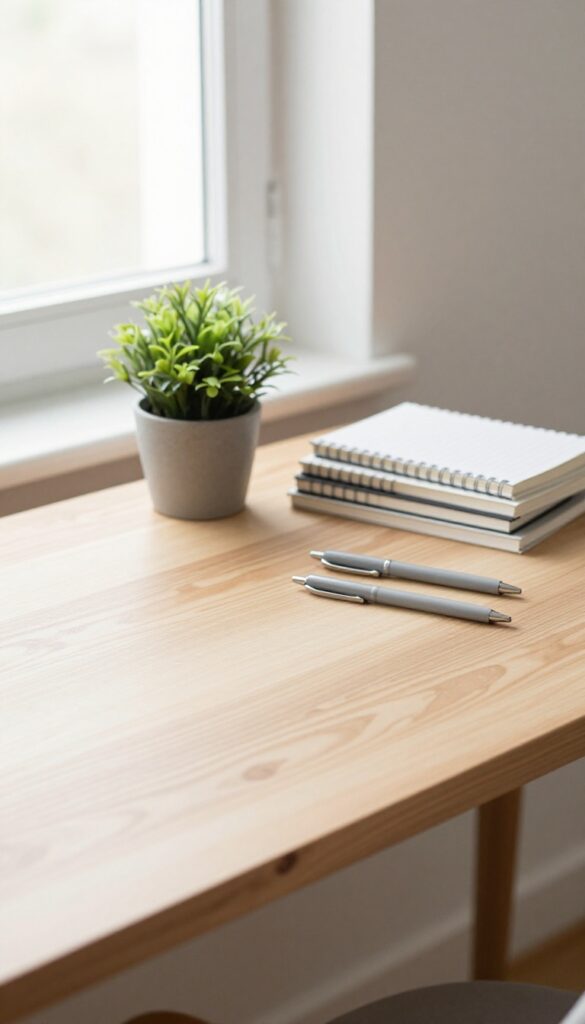
Your desk doesn't need to hold everything you own. Out-of-season items like extra notebooks, holiday cards, or summer reading just take up space and add visual noise. By rotating supplies based on the current season or project, you keep only what's relevant within arm's reach.
What To Store Vs. What To Keep
Go through your desk drawers and shelves. Pull out anything you won't use for the next few months—like winter-themed sticky notes in spring or last year's tax folders. Keep only the supplies you actively need for current work or hobbies.
Store the rest in a closet, under-bed bin, or a designated shelf away from your workspace.
Create A Seasonal Swap Routine
Set a calendar reminder for the first day of each season to do a quick desk audit. Swap out notebooks, pens, and decorative items to match the time of year. For example, bring in a small plant in spring, swap to cozy colors in fall, or add a mini fan in summer.
This keeps your desk feeling fresh and intentional without clutter buildup.
Label And Store For Easy Access
Use clear bins or labeled boxes for off-season items. Write the season or category on the outside so you can grab what you need without digging. Stack them in a closet or under your desk if you have space, but keep them out of your immediate work zone.
When the season changes, a quick swap takes five minutes.
19. Label Everything
Labels are the unsung heroes of desk organization. They turn chaos into a system where everything has a home and you never have to guess where something goes. A simple label on a drawer or bin can save you precious seconds every time you reach for a supply, and those seconds add up.
Labeling isn't just about being tidy—it's about making your workspace work for you. When every item has a clear spot, you spend less time searching and more time focusing. Plus, labels help you maintain the system long after you set it up, because they serve as constant reminders of where things belong.
Start With The Essentials
Begin by labeling the items you use most: drawers for pens, paper clips, sticky notes, and charging cables. Use a label maker for a clean, uniform look, or simple sticker labels if you prefer a low-tech approach. The key is to be consistent—choose one font and color scheme so your desk looks cohesive.
Don't Forget Cables And Cords
Cables are notorious for tangling and causing frustration. Use small cable labels or colored zip ties to identify which cord belongs to which device. This simple step makes plugging and unplugging a breeze, and it helps you avoid accidentally unplugging something important.
Label Storage Bins And Shelves
If you use bins or shelves for supplies, label them clearly. For example, a bin labeled "Notebooks" should only hold notebooks, not a mix of notebooks and random gadgets. This discipline keeps your system honest and makes it easy to find what you need at a glance.
20. End Each Day With a Clean Slate

The last five minutes of your workday can set the tone for tomorrow. Instead of shutting down and walking away, spend that time resetting your desk. It's a small habit that pays off big when you sit down the next morning.
The Five-minute Reset
Set a timer for five minutes before you log off. Clear away any dishes, toss trash, and file loose papers. Return your keyboard and monitor to their neutral positions.
This quick ritual signals your brain that work is done and keeps your desk ready for the next day.
Tackle One Extra Thing
Each evening, go beyond the basic reset by tackling one small task you've been avoiding. Maybe it's wiping down your mouse, organizing a drawer, or sorting a stack of sticky notes. Over a week, those little actions add up to a noticeably cleaner workspace.
Prepare For Tomorrow
Use your end-of-day moment to set up for the next morning. Place your notebook open to today's notes, set out a fresh water glass, or lay your pen next to your mouse. When you walk in, you'll feel ready to dive in without the friction of setup.
FAQ
How often should I deep clean my desk?
Aim for a thorough cleaning once a week. This includes wiping surfaces, cleaning your keyboard, and reorganizing drawers.
What's the best way to clean a monitor?
Use a microfiber cloth slightly dampened with water or a screen-safe cleaner. Never spray liquid directly on the screen.
How can I reduce desk clutter permanently?
Adopt a minimalist mindset: keep only what you use daily, digitize papers, and have a designated spot for everything.
What should I do with cables I don't use?
Label and store them in a dedicated box or bag. Only keep cables for devices you currently own.
How do I maintain a clean desk with a busy schedule?
Use the one-minute rule and end-of-day reset. Small daily habits prevent big messes from building up.
Conclusion
A clean desk is more than a visual win—it's a daily reset for your focus and workflow. You don't need to implement all 20 tips at once. Pick the ones that address your biggest friction points, whether that's cable chaos or paper pileups.
Start with one or two changes and let the habit build. Small, consistent actions transform your workspace from a source of distraction into a place where clear thinking happens naturally.