Most cleaning routines fail because they rely on memory and motivation, not structure. A simple tracker shifts the burden from willpower to a visual system that keeps you on track. Instead of feeling guilty about what you haven't done, you see progress and momentum build.
Trackers work because they make the invisible visible. Each checkmark or sticker is a small win that reinforces the habit. You stop relying on "I'll do it later" and start seeing what actually gets done.
The key is matching the tracker to your lifestyle. A detailed chart might work for one person, while a minimalist app suits another. These 20 ideas cover different styles so you can find the one that actually sticks.
1. The Daily Reset Checklist
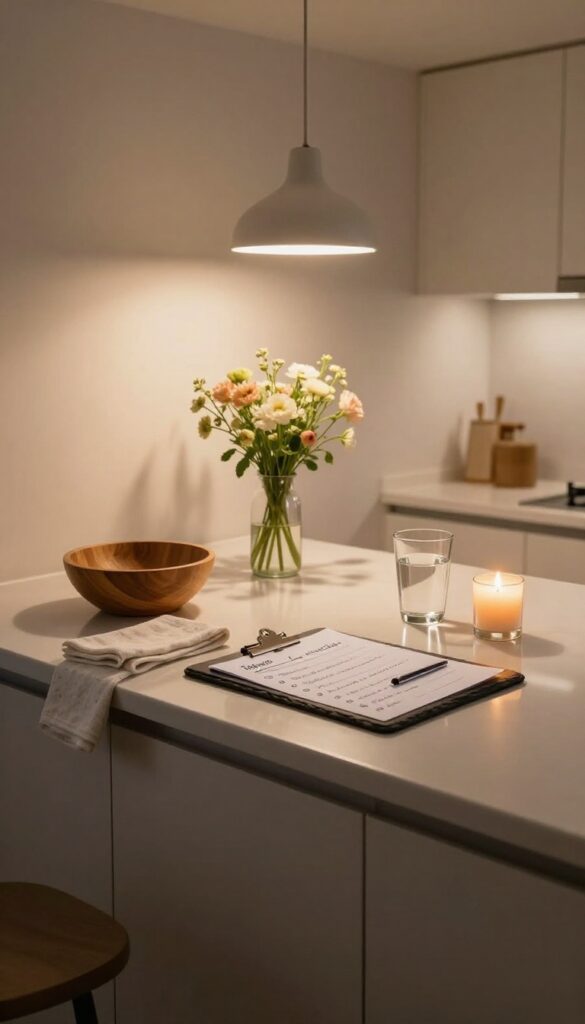
Evenings can feel chaotic, but a short reset checklist turns that chaos into calm. The idea is simple: pick 5-7 tasks that take under 15 minutes total and do them every night. This isn't about deep cleaning—it's about creating a baseline of tidiness so you wake up to a fresh start.
The daily reset checklist is your anchor habit. It prevents mess from piling up and makes morning routines smoother. Choose tasks that address the most visible clutter in your home: wipe kitchen counters, put away stray items, fluff couch pillows, sweep the entryway, and set out tomorrow's essentials.
Keep the list short enough to feel doable even on tired nights. Print it out or keep it on your phone, and check off each task before bed. Over time, this becomes automatic—your home stays consistently tidy without extra effort.
What To Include
Focus on high-impact, low-effort tasks. Wipe down kitchen and bathroom counters, put away dishes, fluff pillows, fold throws, straighten shoes by the door, and do a quick sweep of high-traffic areas. Avoid adding anything that takes more than a few minutes.
How To Make It Stick
Pair your reset with an existing habit, like after brushing your teeth or right before you watch a show. Use a simple tracker—a paper checklist or a habit app—and mark completion each night. Reward yourself with a few minutes of guilt-free relaxation afterward.
Troubleshooting Common Pitfalls
If you skip nights, shorten the list further. If mornings still feel messy, add one task like 'clear kitchen sink' to your morning routine. The goal is consistency, not perfection.
Adjust tasks seasonally or as your needs change.
2. The Zone Rotation System
Instead of trying to clean everything at once, the zone rotation system breaks your home into manageable chunks. You focus on one area per day, and a simple weekly tracker shows you exactly what you've covered. This method prevents burnout and ensures every corner gets attention without overwhelming your schedule.
The zone rotation system works best when you divide your home into five or seven zones—one for each day of the week. For example, Monday might be the kitchen, Tuesday the living room, Wednesday the bathroom, Thursday the bedroom, and Friday the entryway. You can adjust based on your home's layout and your cleaning priorities.
The key is to assign each zone a specific day and stick to it. Use a weekly calendar tracker where you check off the zone after you finish. Over time, this becomes a rhythm, and you'll never wonder what to clean next.
How To Define Your Zones
Start by listing all the rooms or areas in your home. Group smaller spaces together if needed—like combining the hallway and entryway into one zone. Aim for 5 to 7 zones so each day has a clear focus.
Write them down on your tracker and assign a day. For example: Monday: Kitchen, Tuesday: Living Room, Wednesday: Bathrooms, Thursday: Bedrooms, Friday: Hallways & Entryway, Saturday: Laundry & Office, Sunday: Rest or catch-up.
Tracking Your Progress
Use a simple weekly calendar template. Each day, after you clean your assigned zone, mark it with a check, sticker, or color. This visual cue reinforces the habit and gives you a sense of accomplishment.
If you miss a day, don't stress—just move it to the next open slot or a catch-up day. The tracker helps you stay accountable without guilt.
Why This System Sticks
Zone rotation removes decision fatigue. You don't have to think about what to clean—the tracker tells you. It also ensures that high-traffic areas get frequent attention while less-used spaces aren't neglected.
Over weeks, you'll notice how much easier maintenance becomes because nothing gets left for too long.
3. The 15-Minute Power Hour Tracker
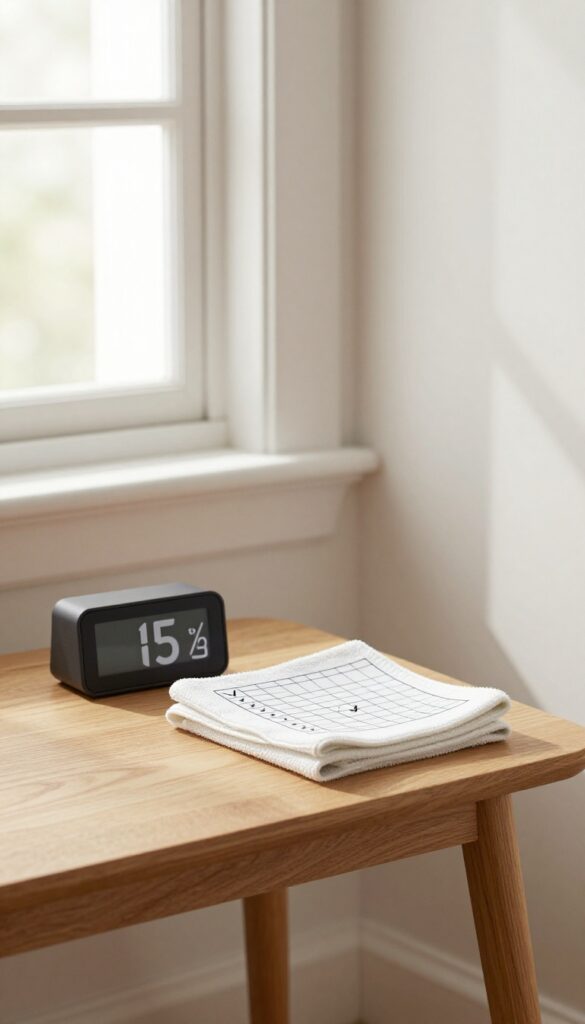
Short bursts of focused cleaning can be surprisingly effective, especially when you track them. The idea is simple: set a timer for 15 minutes, clean one area with full intensity, then stop. Log each sprint you complete and aim for a set number per week—like 7 or 10.
This turns cleaning into a game of small wins rather than a marathon you dread.
The 15-Minute Power Hour Tracker works because it removes the overwhelm of "cleaning the whole house. " Instead, you commit to just 15 minutes. That's short enough to start without resistance, yet long enough to make a visible difference.
By logging each sprint, you build a streak that motivates you to keep going. Over a week, those sprints add up to real progress without burning you out.
Why 15 Minutes Works
Fifteen minutes is the sweet spot for most people. It's too short to feel daunting, but long enough to vacuum a room, wipe down counters, or declutter a shelf. The timer creates urgency, so you work faster and more efficiently.
Plus, knowing you only have to do 15 minutes makes it easier to start, even on low-energy days.
How To Track Your Sprints
Use a simple chart, app, or notebook. Each day, draw a box for every 15-minute sprint you plan to complete. After you finish a sprint, fill in the box with a checkmark, sticker, or color.
Aim for a weekly target—say 10 sprints—and watch your progress grow. You can also note which room you cleaned to add variety.
Tips For Staying Consistent
Pick a consistent time of day for your sprints, like right after work or before your evening show. Stack it with an existing habit, like brewing coffee. If you miss a day, don't stress—just pick up the next day.
The tracker helps you see the big picture, so one missed sprint doesn't feel like failure.
4. The Habit Streak Calendar
There's something deeply satisfying about watching a chain of X's grow day after day. The habit streak calendar turns cleaning into a game where your only job is to not break the chain. It's simple, visual, and surprisingly addictive.
Pick one cleaning habit you want to solidify—making the bed, wiping down counters, or sweeping the kitchen floor. Each day you complete it, mark a bold X on a calendar. The goal is to keep the streak alive as long as possible.
If you miss a day, start a new streak. Over time, the longer streaks become powerful motivators to keep going.
Why Streaks Work
Streaks tap into our natural desire for consistency and completion. A missed day feels like a loss, so you're more likely to push through low-motivation days. The visual reminder also reduces decision fatigue—you don't have to think about whether to clean, you just do it to protect your streak.
How To Set Up Your Calendar
Use a wall calendar, a printable tracker, or a simple notebook. Place it somewhere you'll see daily, like on the fridge or bathroom mirror. Choose one habit to start with—adding more later can dilute focus.
Write the habit at the top, and each evening, mark your X. For extra motivation, use colored markers or stickers.
Tips For Keeping The Streak Alive
Keep the habit small and doable. Instead of "clean the kitchen, " try "wipe the counters. " If you're sick or traveling, don't beat yourself up—just restart when you're back.
Some people allow one "free pass" per month to reduce pressure. The real magic is in the consistency, not perfection.
5. The Room-by-Room Deep Clean Schedule
Deep cleaning feels overwhelming when you think about doing it all at once. That's why breaking it into one task per room per month makes it manageable. A yearly overview turns this into a visual tracker that shows your progress across all seasons.
Instead of guessing when you last scrubbed the baseboards or washed the windows, you'll have a clear record. This method prevents tasks from piling up and keeps your home consistently fresh without a marathon cleaning session.
Assign One Task Per Room Each Month
List every room in your home and assign one deep cleaning task per month. For example, January might be kitchen cabinets, February the oven, March the fridge, and so on. Rotate tasks so each room gets attention throughout the year.
Create A Yearly Overview Grid
Use a simple grid with months across the top and rooms down the side. Mark off each task as you complete it. This gives you a bird's-eye view of what's been done and what's coming up, so nothing slips through the cracks.
Adjust For Seasonal Needs
Some tasks make more sense in certain months. Schedule window washing in spring, gutter cleaning in fall, and oven deep cleaning before the holidays. Flexibility keeps the schedule realistic and tied to your actual needs.
6. The Chore Wheel for Families
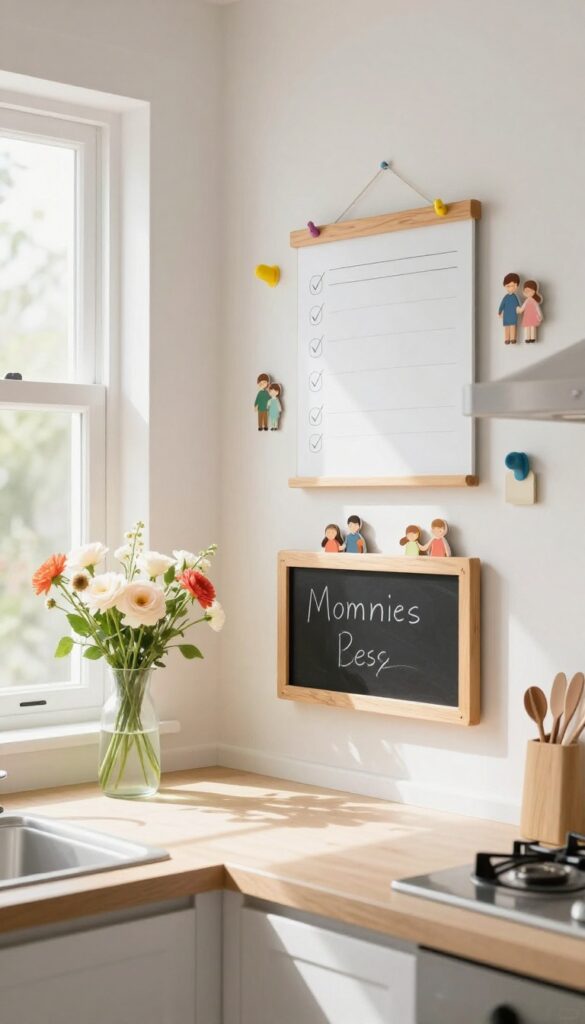
Getting everyone in the household to pitch in can feel like herding cats. A chore wheel adds an element of fun and fairness, turning cleaning into a shared responsibility instead of a one-person burden. By pairing it with a simple tracker, you ensure tasks actually get done and no one feels stuck with the same job forever.
A chore wheel is a rotating system where each family member gets assigned a different task each week. The tracker records who did what and when, making it easy to spot if someone is slacking or if certain chores are being neglected. This visual accountability keeps things transparent and reduces arguments about who does more.
How To Set It Up
Start by listing all the recurring chores—dishes, vacuuming, bathroom cleaning, taking out trash, etc. Write each on a slice of a paper wheel or use a digital spinner app. Assign each family member a color or name segment.
Spin the wheel weekly or bi-weekly to redistribute tasks. Then, create a simple chart (whiteboard or spreadsheet) where each person marks off their completed chore. This way, you can see at a glance if the wheel is working fairly.
Keeping It Fair
The biggest complaint with chore wheels is that some tasks are harder or take longer. To avoid resentment, assign point values to each chore based on effort or time. For example, cleaning the bathroom might be 3 points while sweeping the kitchen is 1.
Over a month, track total points per person. If someone consistently gets low-point tasks, adjust the wheel to balance the load. The tracker becomes your fairness referee.
Gamify The Experience
Kids especially respond to a little competition. Add a reward system: whoever completes their chores on time for a full week gets to pick a family movie or skip a small task. Use the tracker to display streaks—like a row of stickers for consecutive days.
The visual progress turns chores into a game, and the wheel keeps it fresh so no one gets bored.
7. The Seasonal Task Tracker
Some chores only roll around a few times a year, which makes them easy to forget until they become urgent. A seasonal task tracker keeps those big-ticket items like window washing, gutter cleaning, and deep fridge scrubbing on your radar without cluttering your daily list. Instead of scrambling when the first frost hits or pollen season arrives, you plan ahead and check them off with satisfaction.
This tracker is designed for quarterly or biannual tasks that don't fit into a weekly routine. You can create a simple grid with four columns (spring, summer, fall, winter) and list recurring chores under each. As you complete a task, mark it off.
Over time, you'll build a record of what was done and when, making it easier to spot patterns and schedule future maintenance.
What Goes On A Seasonal Tracker
Think about tasks that happen once or twice a year: cleaning gutters, power washing the deck, servicing the HVAC, rotating mattresses, washing curtains, or organizing the garage. Also include weather-specific jobs like winterizing outdoor faucets or cleaning window screens in spring. Keep the list manageable—aim for five to ten items per season.
How To Set It Up
Use a whiteboard, a printable PDF, or a digital spreadsheet divided into four seasonal columns. Write each task under the appropriate season. Add a checkbox or a circle to fill in.
Place the tracker somewhere visible, like on the fridge or inside a pantry door. When you complete a task, mark it with a colored pen or sticker to make progress pop.
Staying Consistent Year After Year
At the end of each season, review what you accomplished and move any incomplete tasks to the next quarter. This prevents guilt and keeps the system flexible. Over time, you'll refine which tasks truly matter and which you can skip.
The tracker becomes a personal maintenance log that grows more useful with each passing year.
8. The Minimalist App-Based Tracker
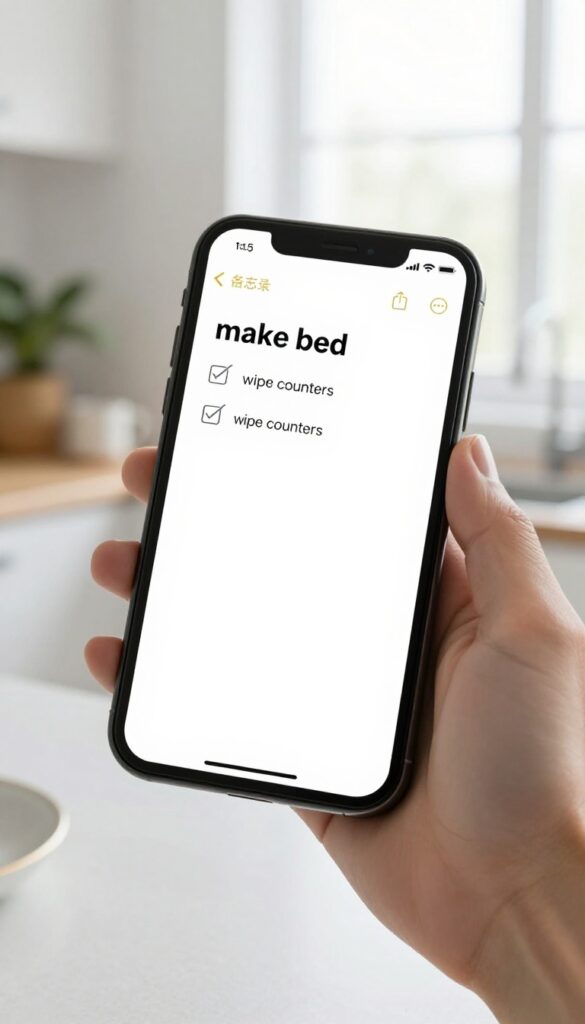
Not everyone wants a paper chart or a whiteboard on the wall. If you already live on your phone, a simple to-do app can handle your cleaning tracker without any extra clutter. The key is setting it up right so it works for you, not against you.
The beauty of an app-based tracker is that it travels with you. You can check off tasks while waiting in line or during a commercial break. No printing, no magnets, no visual noise.
Just a clean list that resets each day or week.
Pick The Right App
You don't need a fancy habit tracker. A basic to-do app like Todoist, Microsoft To Do, or even Apple Reminders works perfectly. Create a list called "Daily Cleaning" and add tasks like make bed, wipe counters, sweep kitchen.
Set them to repeat daily. That's it.
Keep It Short
Limit your daily list to 5–7 tasks. If you add every possible chore, you'll get overwhelmed and stop using the app. Stick to the non-negotiables.
You can always add a separate weekly list for deeper tasks like vacuuming or bathroom scrub.
Check Off Right Away
The moment you finish a task, open the app and mark it done. This builds a quick feedback loop. Seeing that satisfying checkmark or strikethrough reinforces the habit.
If you wait until the end of the day, you'll forget and lose the momentum.
9. The Bullet Journal Cleaning Log
If you already bullet journal, this one is a no-brainer. A dedicated cleaning spread turns your notebook into a command center for home habits. You get the flexibility to design exactly what works for you, whether that's a simple checkbox list or an elaborate color-coded system.
The key is making it personal enough that you actually want to use it every day.
Start with a monthly overview page. Draw a grid with the days of the month down the left side and your main cleaning zones across the top. Each day, mark off what you completed.
This gives you a bird's-eye view of your cleaning rhythm. Then, create a weekly spread with specific tasks for each day—like Monday for bathrooms, Tuesday for dusting, etc. Finally, add a daily log where you jot down quick wins or notes.
The act of writing it down reinforces the habit. Keep your supplies simple: a pen, a ruler, and maybe a few highlighters. Don't overcomplicate it.
The beauty is that you can tweak the layout anytime.
Monthly Layout
Draw a simple grid with 31 rows and columns for each room or task. Fill in a dot or checkmark when you complete a task. This visual shows your consistency at a glance.
Use different symbols for different types of cleaning—like a star for deep cleans and a dot for quick tidying. You'll quickly spot which zones you neglect.
Weekly Breakdown
Dedicate a two-page spread to the week. List the days down the left and your top three cleaning tasks for each day. Keep it realistic—don't assign more than you can handle.
Add a small section for notes or unexpected chores. This keeps you flexible without losing structure.
Daily Quick Log
Use a small section at the bottom of your daily page for a rapid-fire list of what you cleaned that day. This can be as simple as three bullet points. It takes 30 seconds and builds momentum.
Over time, you'll see patterns and adjust your routine.
10. The Before-and-After Photo Tracker
Words can't capture the satisfaction of seeing a cluttered counter transform into a clean workspace. A photo does. This tracker turns your phone camera into a progress log, making each cleaning session feel like a small victory.
You'll build a visual record that proves your efforts are paying off, even on days when motivation is low.
The concept is simple: snap a photo of a messy area before you start cleaning, then take another after you finish. Over time, you'll have a gallery of transformations that show real progress. This works especially well for deep-cleaning tasks like organizing a pantry, scrubbing a bathroom, or decluttering a closet.
The visual contrast is instant motivation.
How To Set It Up
Create a dedicated album on your phone labeled "Cleaning Wins" or "Before & After. " Each time you tackle a specific area, take a before photo from the same angle and lighting, then an after photo once you're done. For extra structure, schedule one photo session per week for a different room.
Why It Works
Your brain responds strongly to visual proof. Seeing a messy space become clean releases a sense of accomplishment that a checkmark on a list can't match. Over weeks, scrolling through your album reinforces that you're making consistent progress, which builds long-term habit strength.
Tips For Best Results
Keep the before photo visible while you clean to stay focused. Share your best transformations with a friend or on social media for accountability. If you're shy, just keep the album private—it's still powerful.
Avoid staging the photos; honest shots make the progress feel real.
11. The Time-Lapse Video Tracker
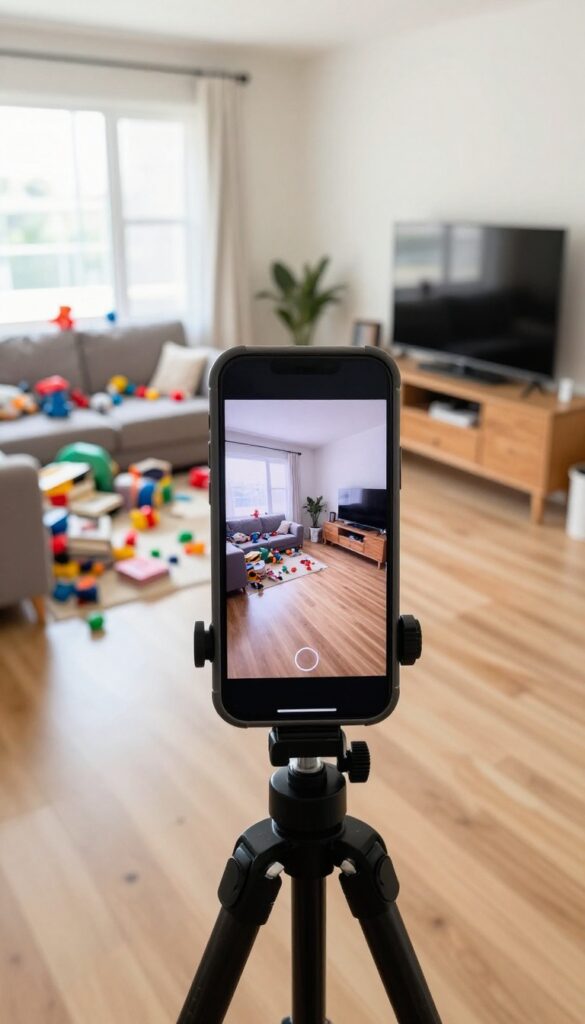
Sometimes a simple checkmark doesn't capture the full scope of your effort. That's where the time-lapse video tracker comes in. By recording your cleaning session in fast motion, you create a visual record of your work that's both motivating and satisfying to watch.
This method works especially well for deep cleaning sessions or room transformations. The video becomes a tangible proof of your progress, and watching it later can reignite your motivation for future tasks. Plus, it's a fun way to share your cleaning journey with friends or on social media if you're into that.
How To Set It Up
You don't need fancy equipment. Just prop your phone on a shelf or use a small tripod. Most smartphones have a built-in time-lapse mode.
Set it up before you start, press record, and go about your cleaning. The key is to keep the camera steady and frame the area you'll be working on.
Logging The Details
After each session, note the date and the room you cleaned. You can keep a simple log in a notebook or a digital spreadsheet. Over time, you'll build a library of time-lapse videos that show your cleaning habits in action.
This log also helps you spot patterns—like which rooms you clean most often.
Why It Works
Seeing a messy room transform into a tidy space in just a few seconds is deeply satisfying. It reinforces the effort you put in and makes the invisible work visible. Plus, the time-lapse acts as a gentle accountability tool—you're less likely to skip a session if you know you'll have a cool video to show for it.
12. The Reward-Based Sticker Chart
Remember the thrill of getting a gold star in school? That same dopamine hit works for adults too, especially when it comes to cleaning. A reward-based sticker chart turns chores into a game where you earn a tangible prize after collecting a set number of stickers.
This method works because it creates a clear visual of progress and ties it to a reward you actually want. Instead of cleaning out of obligation, you’re motivated by the anticipation of that reward. It’s simple, fun, and surprisingly effective for both kids and adults.
Setting Up Your Chart
Start with a physical chart—poster board or a whiteboard works well. Draw a grid with days of the week or specific tasks. Assign one sticker per completed task.
Keep it somewhere visible, like the fridge or a hallway wall, so you see your progress daily.
Choosing Your Rewards
Pick rewards that matter to you. For a small treat, aim for 10 stickers: maybe a fancy coffee or a new candle. For bigger milestones like 50 stickers, consider a massage or a night out.
The key is to make the reward something you wouldn’t normally give yourself.
Keeping It Fresh
After a few months, the novelty can wear off. Refresh the system by changing the reward tiers or swapping in new stickers. You can also involve family members by creating a shared chart with a group reward, like a pizza night or a movie marathon.
13. The Digital Spreadsheet Dashboard
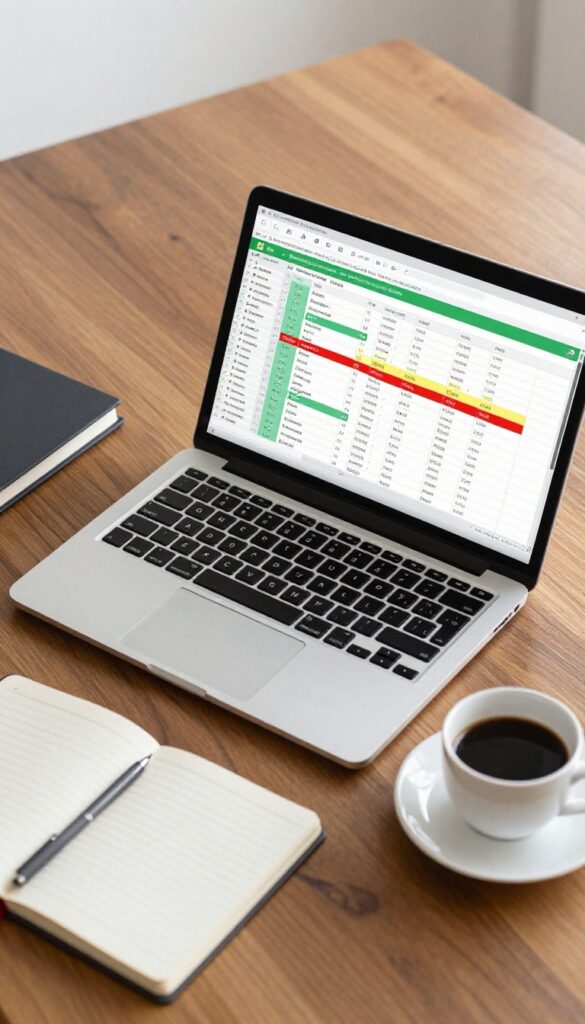
For those who love data and customization, a digital spreadsheet offers unmatched flexibility. You can design columns for tasks, dates, notes, and even priority levels, then color-code cells to see progress at a glance. It’s like having a personal cleaning command center that updates in real time.
A spreadsheet tracker puts you in control. You decide the categories, the frequency, and the visual cues. Whether you use Google Sheets for cloud access or Excel for offline power, the structure is entirely yours.
Start with a simple table: task name, due date, completion status, and notes. Then add conditional formatting to turn completed cells green, overdue ones red, and upcoming ones yellow. This instant visual feedback keeps you motivated without extra effort.
Setting Up Your Columns
Begin with the basics: Room, Task, Frequency (daily, weekly, monthly), Last Done, Next Due, and Status. Add a Notes column for specifics like “use vinegar solution” or “check under sofa. ” Keep it simple at first; you can always expand later.
Color-coding For Quick Wins
Use conditional formatting to highlight completed tasks in green, overdue in red, and upcoming in yellow. This color system turns your spreadsheet into a dashboard that shows exactly where you stand. No scrolling needed—just a glance tells you what’s on track.
Automation And Sharing
Google Sheets lets you set reminders via email or mobile notifications. You can also share the sheet with family members so everyone sees the same list. Assign tasks to different people using dropdown menus, and track who did what.
14. The Magnetic Dry-Erase Board
A whiteboard on the fridge with magnets for each task, moved from 'to do' to 'done'. This system turns cleaning into a tactile, visual game. You can see at a glance what's been tackled and what's still waiting.
This idea is perfect for visual learners who love the satisfaction of physically moving something. It's also great for families, as everyone can see their responsibilities and progress. The key is keeping it simple—too many tasks can overwhelm, so start with the daily non-negotiables.
Setup That Sticks
Buy a magnetic dry-erase board that fits your fridge or a nearby wall. Use colored magnets or magnetic labels for different zones (kitchen, bathroom, living room). Write each task on a small magnet or use pre-printed ones.
Arrange them in a 'to do' column on the left.
Daily Flow
Each morning, glance at the board. As you complete a task, move its magnet to the 'done' column on the right. This small physical action reinforces the habit.
At the end of the day, reset by moving all magnets back to 'to do'—or leave done tasks for a sense of accomplishment.
Keep It Fresh
Rotate tasks weekly to avoid boredom. Add seasonal chores like 'wash windows' or 'declutter closet'. If a task never gets moved, consider if it's necessary or needs breaking down.
The board is a tool, not a guilt trip—adjust as needed.
15. The Habit Stacking Tracker
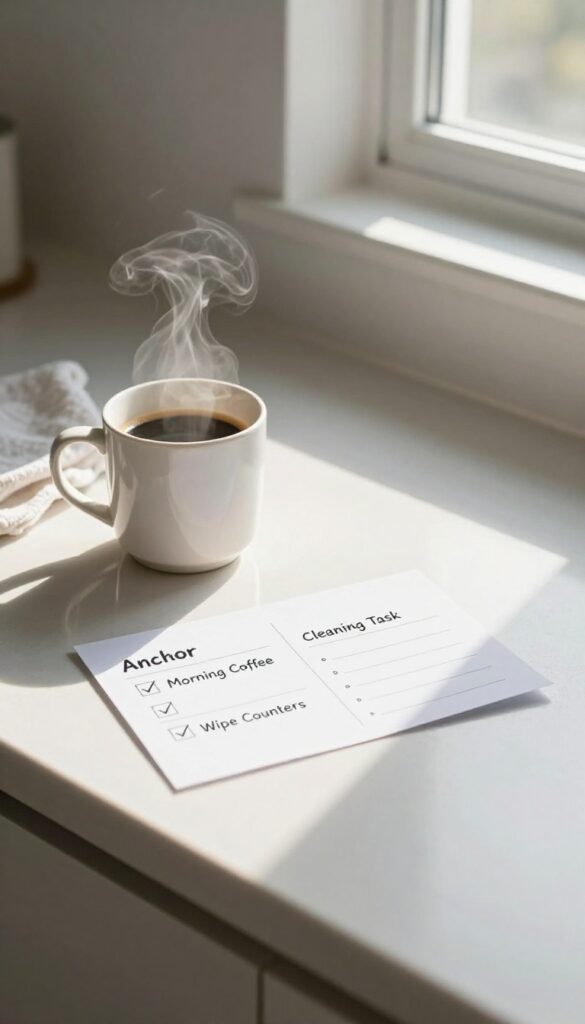
Pairing a new cleaning task with something you already do daily makes it almost automatic. Habit stacking leverages your existing routines so you don't have to remember another thing. This tracker lets you combine two habits into one checkmark, simplifying your system.
Instead of tracking cleaning separately, link it to a habit you never skip—like making coffee, brushing your teeth, or walking your dog. Each time you complete the anchor habit, you do the cleaning task right after. The tracker has two columns: one for the anchor habit and one for the paired cleaning task.
You check both off together. This works because the existing habit triggers the new one, and the tracker reinforces the connection. Over time, the cleaning task becomes as automatic as the anchor habit.
How To Set It Up
Choose one anchor habit that happens at a consistent time each day. Then pick a cleaning task that takes two to five minutes. Write both on a small card or in a notes app.
Every time you complete the anchor, do the cleaning task and mark them both done. Start with just one stack to avoid overwhelm.
Great Pairings To Try
While your morning coffee brews, wipe down the kitchen counters. After you brush your teeth at night, quickly wipe the bathroom mirror. When you let the dog out, spend two minutes decluttering the entryway.
The key is keeping the cleaning task short and directly after the anchor.
Why It Sticks
Habit stacking uses your brain's existing neural pathways. You're not creating a new routine from scratch; you're attaching a small action to a well-worn path. The tracker makes the connection visible, and each checkmark reinforces the loop.
Within a few weeks, you'll do the cleaning task without thinking.
16. The Weekly Cleaning Bingo Card
Turn chores into a game with a cleaning bingo card. Each square holds a task like “wipe kitchen counters” or “vacuum living room. ” The goal is to complete a row, column, or diagonal by the end of the week. It adds a playful challenge to your routine and makes cleaning feel less like a drag.
How To Set Up Your Bingo Card
Start with a 5×5 grid. Fill the center square with a free space like “take out trash. ” List 24 different tasks around it, mixing daily chores like “make bed” with weekly ones like “clean bathroom mirror. ” Print a fresh card each week or use a dry-erase board to reuse it.
Ways To Make It More Fun
Add a reward for each bingo you complete, like a coffee treat or an episode of your favorite show. For extra motivation, challenge a family member or roommate to a race. You can also vary the tasks each week to keep it fresh.
Why It Works
The game element triggers a sense of achievement when you mark off a square. It also encourages you to tackle tasks you might normally skip, just to get that bingo. Over time, the habit sticks because your brain associates cleaning with a fun, rewarding activity.
17. The One-Task-a-Day Challenge
Some days, the thought of cleaning the whole house is just too much. That is exactly when the one-task-a-day challenge works best. You pick a single chore, do it, and mark it on a monthly calendar.
No more, no less. Over time, those daily checkmarks add up to a noticeably cleaner home without the overwhelm.
The beauty of this approach is its simplicity. You are not trying to conquer everything at once. Instead, you build momentum one small win at a time.
A monthly calendar becomes a visual record of your consistency, and missing a day is no big deal because you can always start again tomorrow.
How To Set Up Your One-task Calendar
Grab any monthly calendar or print a free one online. Each day, write down one cleaning task you will complete. It can be as quick as wiping the kitchen counters or as involved as cleaning the oven.
The key is to keep it realistic. If you are short on time, choose a five-minute task. The goal is to do something, not everything.
Ideas For Daily Tasks To Rotate
Create a loose rotation so you cover different areas over the month. For example: Monday – dust living room, Tuesday – vacuum hallway, Wednesday – clean bathroom mirror, Thursday – mop kitchen floor, Friday – declutter one drawer, Saturday – change bed sheets, Sunday – rest or catch up. Feel free to mix it up based on your home's needs.
Why This Challenge Works Long-term
By focusing on one task per day, you avoid the burnout that comes with marathon cleaning sessions. The habit becomes sustainable because it fits into your schedule rather than demanding a big block of time. Plus, seeing a full month of checkmarks gives a satisfying sense of accomplishment that motivates you to keep going.
18. The Declutter Tracker with Categories

Decluttering feels overwhelming when you look at the whole house at once. Breaking it down by category—clothes, books, kitchen gadgets, sentimental items—makes the task manageable and measurable. A category-based tracker lets you log what you remove or donate, turning chaos into clear progress.
Start by listing the categories that matter most to you. For each category, set a goal: maybe remove 20 items from your wardrobe or donate 10 books. Then track each item as it leaves your home.
Seeing the numbers climb is surprisingly satisfying and keeps you motivated to tackle the next category.
How To Set Up Your Tracker
Grab a notebook, a whiteboard, or a simple spreadsheet. List your categories down the left column. Across the top, add columns for date, item name, and action (donated, recycled, trashed).
Update it every time you declutter, even if it's just one item.
Why Categories Work
Categories create focus. Instead of jumping from room to room, you work through one type of item at a time. This reduces decision fatigue and helps you see patterns—like how many duplicate kitchen tools you own or how many clothes still have tags.
Turning Tracking Into A Habit
Set a weekly declutter session of 15 minutes. Pick one category and stick with it until you hit your goal. Reward yourself when you finish a category—maybe a coffee out or a movie night.
The tracker becomes a visual record of your effort and progress.
19. The Cleaning Playlist Timer
Music can turn a boring chore into a mini dance party. Instead of watching the clock, let your favorite songs pace your cleaning session. You'll know exactly how much time you've spent based on how many tracks you've heard.
Build Your Cleaning Soundtrack
Create a playlist of songs that get you moving. Aim for 10 to 15 tracks, each around three to four minutes long. That gives you a 30- to 60-minute cleaning block.
Choose upbeat tunes you know well so you don't get distracted deciding what to play next.
Track Progress By Song Count
Decide on a goal before you start. Maybe it's cleaning for five songs in the kitchen or three songs in the bathroom. Write down the song number you're on and what you accomplished.
Over time, you'll learn exactly how many songs each room needs.
Mix Up The Tempo
Use faster songs for high-energy tasks like vacuuming or scrubbing, and slower ones for folding laundry or wiping surfaces. You can even create different playlists for different rooms. The variety keeps you engaged and makes the whole house feel fresh.
20. The Monthly Review and Reset Tracker

Even the best cleaning system can drift over time. That's why a monthly review and reset tracker is the secret to making your habits last. At the end of each month, you take a few minutes to reflect on what worked, what didn't, and adjust your approach for the next month.
It's like a mini tune-up for your cleaning routine.
This tracker isn't about daily tasks—it's about the bigger picture. You log insights like which chores felt easy, which ones you skipped, and any changes in your schedule or energy. Then you plan next month's tracker based on what you learned.
Over time, this habit helps you fine-tune your system so it stays realistic and effective.
What To Review Each Month
Start by scanning your daily or weekly tracker from the past month. Ask yourself: Did I consistently miss certain tasks? Were there days when I felt overwhelmed?
Did any new habits stick? Jot down one or two key observations. For example, maybe you realized you always skip cleaning the bathroom on busy Mondays, so you can move it to a calmer day.
How To Reset Your Tracker
Based on your review, tweak your tracker for the next month. You might swap a task, change the frequency, or try a new format. If you noticed you thrive on checklists, stick with that.
If you found the tracker too detailed, simplify it. The goal is to make next month's tracker a better fit for your actual life.
Logging Insights For Long-term Growth
Keep a small section in your tracker or a separate notebook where you record monthly insights. Over time, you'll spot patterns: seasonal slumps, energy dips, or tasks that become easier with practice. This log becomes a personal guide to your cleaning habits, helping you adapt proactively rather than reactively.
FAQ
How do I choose the right cleaning tracker for me?
Start by considering your personality and schedule. If you love visuals, try a sticker chart or whiteboard. If you prefer digital, use an app.
The best tracker is one you'll actually use consistently.
Can I combine multiple tracker ideas?
Absolutely. Many people use a daily reset checklist alongside a weekly zone rotation. Mix and match to create a system that covers both daily maintenance and deeper cleaning.
What if I miss a day on my tracker?
Don't stress. Trackers are tools, not tests. Simply pick up where you left off.
The goal is progress, not perfection. Missing a day doesn't erase your previous wins.
How detailed should my tracker be?
Keep it simple enough to maintain. A tracker with 5-7 daily tasks is more sustainable than one with 20. You can always add more tasks later as the habit becomes automatic.
Do I need to buy anything to start a cleaning tracker?
Not at all. You can use a notebook, a piece of paper, or a free app. The most important thing is to start tracking, not the tools you use.
Conclusion
Building a cleaning habit doesn't require a complete overhaul of your routine—just a few trackers that fit your lifestyle. Start with one or two ideas from this list that feel doable today, whether it's a simple checklist or a weekly photo log. Over time, these small tracking wins will make tidying feel automatic rather than forced.
Remember, the goal isn't a spotless home every day, but a system that keeps you consistent without burning out. Pick a tracker that sparks a little motivation, stick with it for a week, and adjust as needed.